Introduction
Undo for Java brings time travel debugging to Java. Record your application’s execution, then go backwards and forwards through it to see exactly what happened: every line that ran and the values it produced, right up to the failure. Have an AI agent investigate the recording and find the root cause (see Undo for Java AI), or debug it yourself in IntelliJ IDEA.
Under the hood, Undo for Java uses in-process virtualization to record the execution of a Java application running on Linux. You record the application, then time-travel debug that application’s execution later, on the same or on a different Linux machine. You can also time-travel debug a live running application in IntelliJ without recording it first.
Recording and replay both run on Linux, which can be a VM, a container or WSL2. IntelliJ IDEA can run on that Linux machine, or on Windows, macOS or another machine, and connect over the network to the replay session running there, as Replaying a recording describes. Step back or forwards to any line of code that executed to see the full variable and heap state. Undo for Java significantly reduces your Mean Time to Resolution (MTTR) of defects, helping you to get to a zero-defect release faster and more predictably.
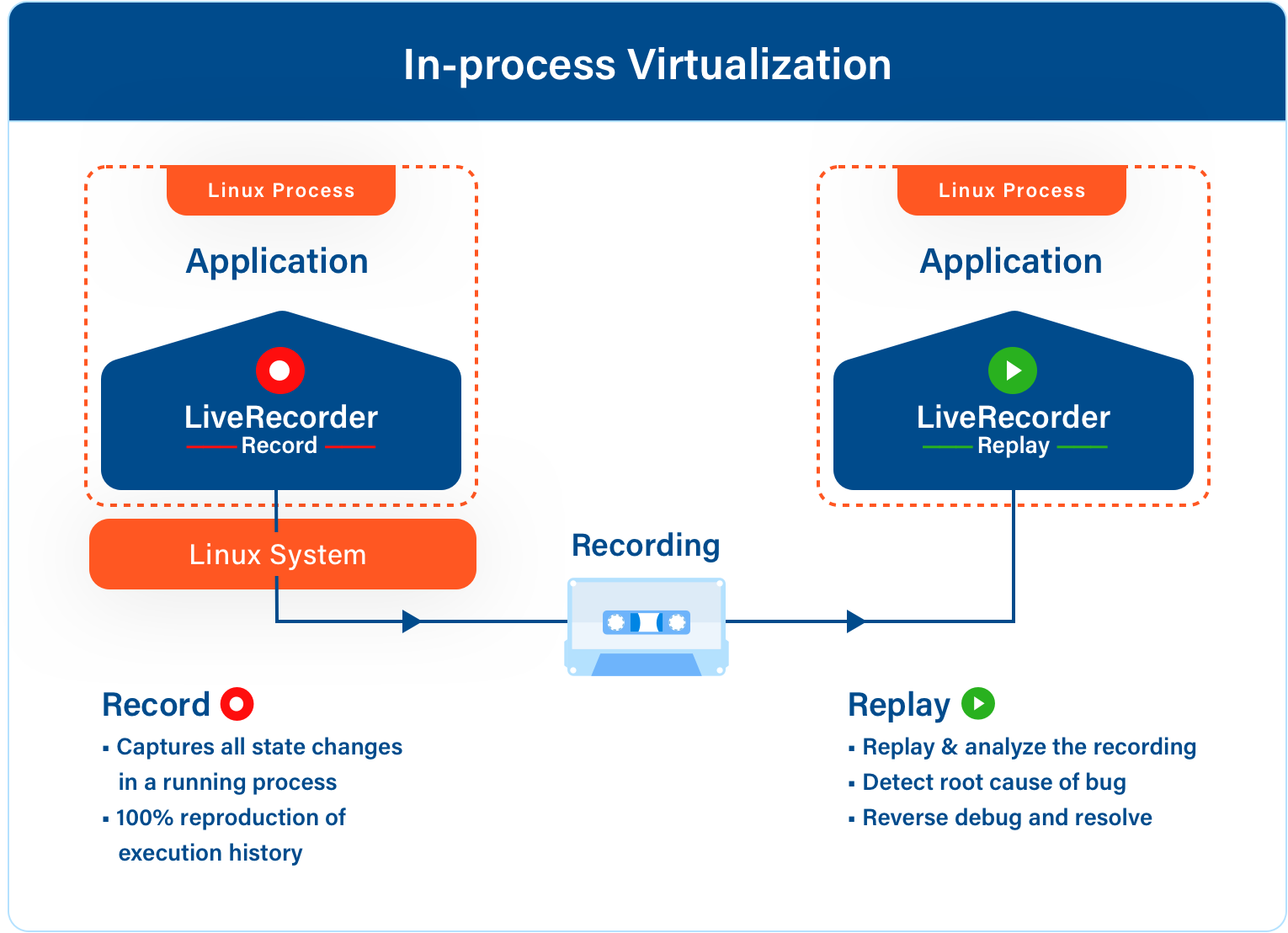
Integration of Undo for Java is split into two steps to reflect the above workflow:
- Adding the recording agent to the command-line that starts the application, or recording it with live-record, which needs no change to the command line.Adjusting recording parameters - when to record, recording filename.
- Invoking the replay tool on the generated recording.Controlling replay interactively via IntelliJ, or programmatically via AI agents or scripts.
Beyond basic record and replay, Undo for Java provides a rich set of capabilities for navigating execution history, debugging across microservice boundaries, and automating analysis with Undo for Java AI. See Feature Overview for a complete overview of what you can do.